
CENTRO DE LÍDERES
GESTIONA TU GRUPO DE VIDA A TRAVÉS DE LA APLICACIÓN HEART REVOLUTION CHURCH
¡Envíe tus informes de asistencia, agregue personas a tu grupo, vea las notas de los mensajes, registre los próximos eventos y más a través de la aplicación oficial de Heart Rev Church!


LUGARES PARA ASISTIR
Aplicación Heart Revolution Church
Correos electrónicos de recordatorio de asistencia
CÓMO TOMAR LA ASISTENCIA USANDO LA APLICACIÓN HEART REV
1. Comience tocando el botón Attendance en la página principal de su grupo.
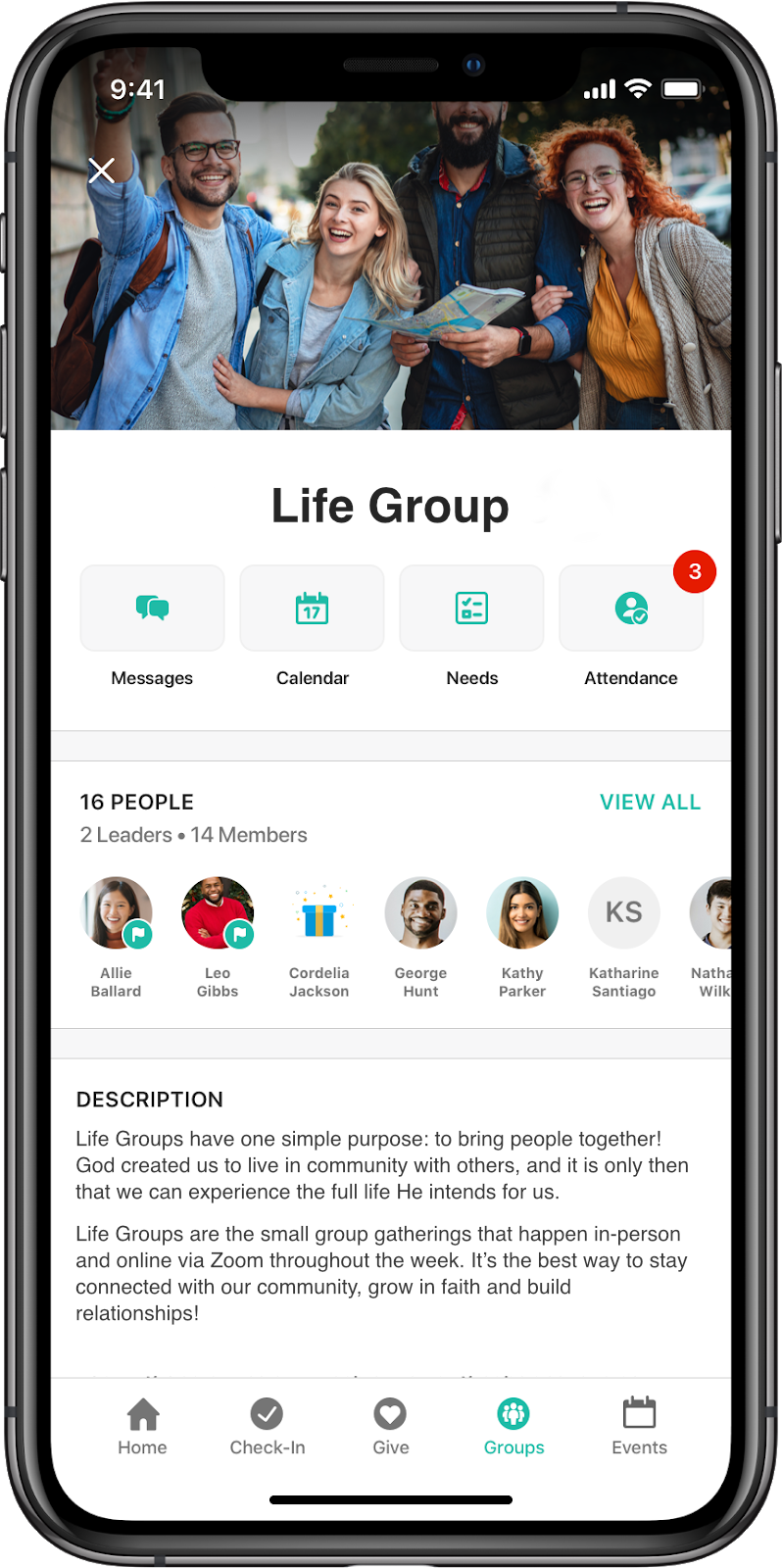
2. Seleccione el evento para el que desea registrar la asistencia.
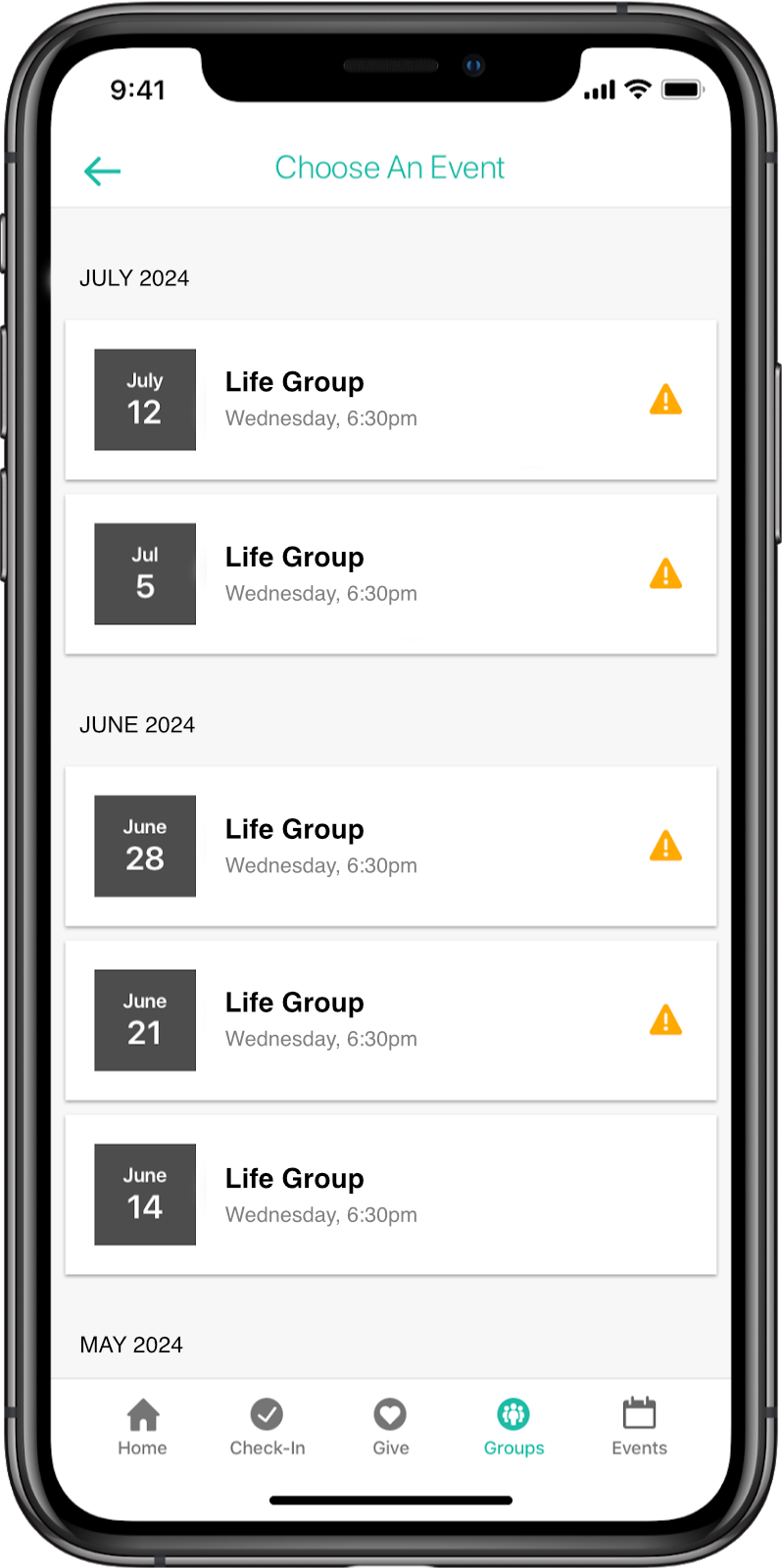
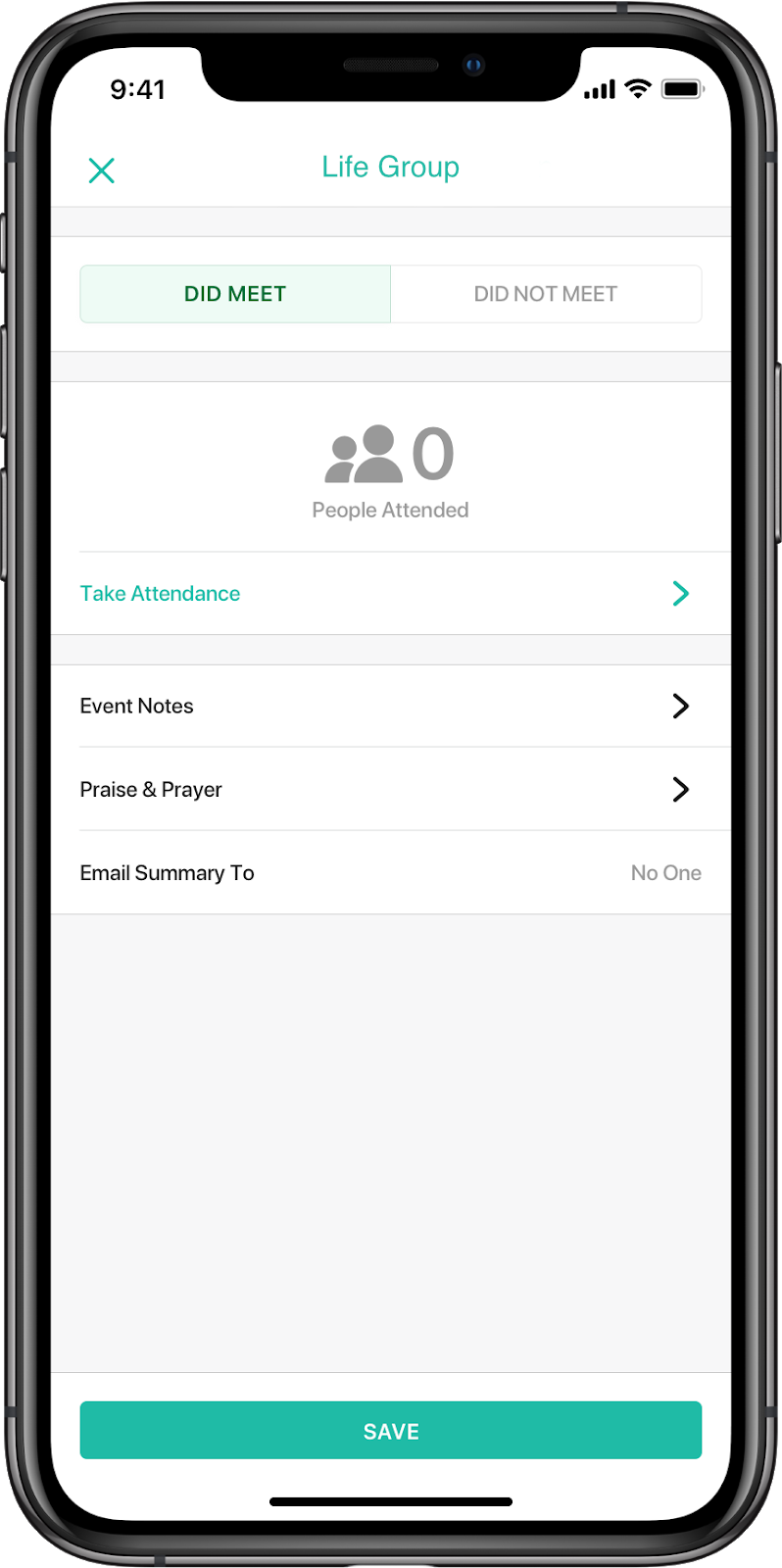
3. Seleccione "Take Attendance" o toque la sección "People Attended".
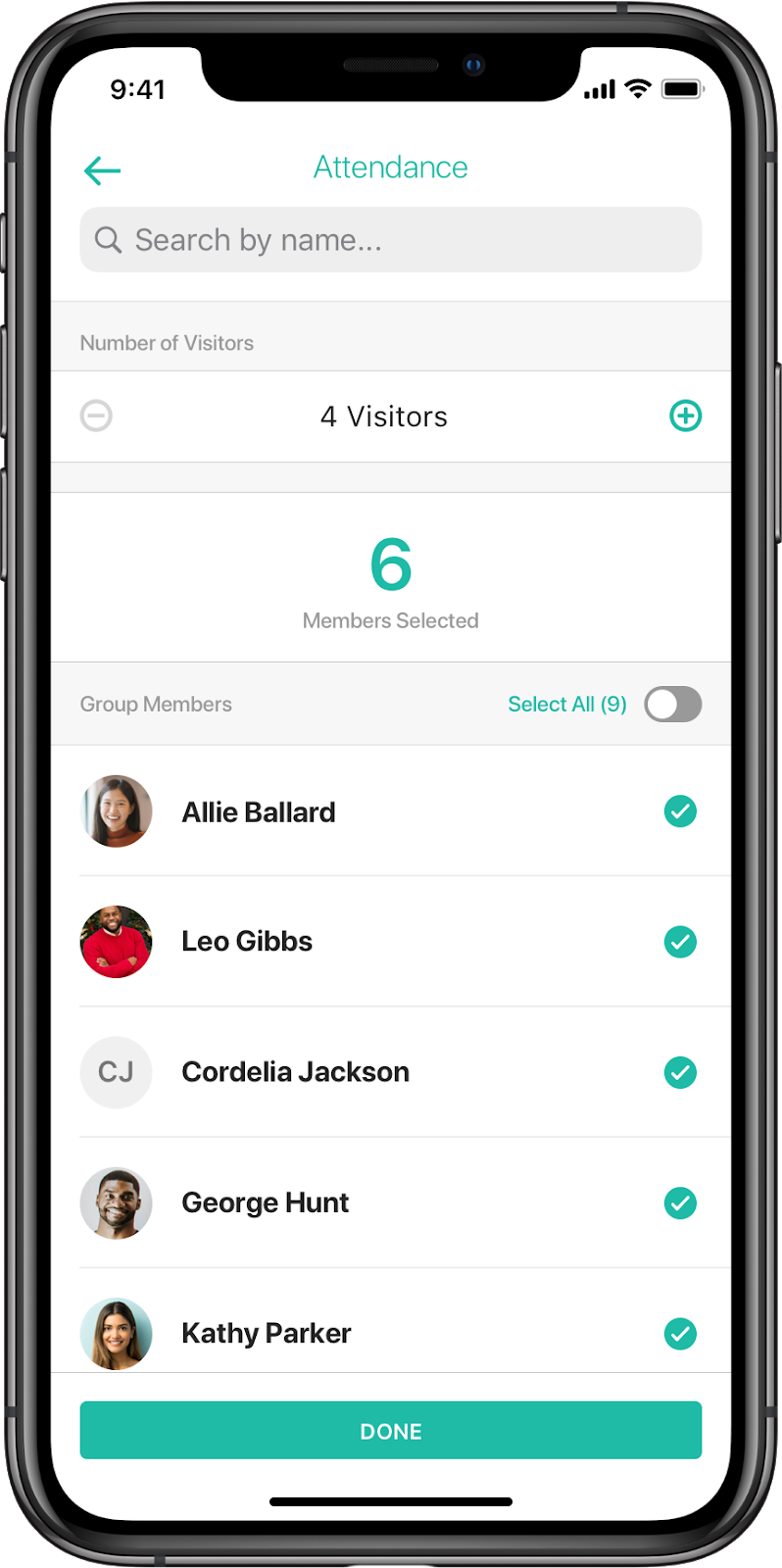
4. Seleccione las personas que estuvieron presentes e introduzca el número de visitantes, luego toque Done.
5. Esto lo devolverá a la página de resumen del evento, donde puede agregar notas, alabanza y solicitudes de oración, y elegir a qué destinatarios le gustaría enviar el resumen del evento.
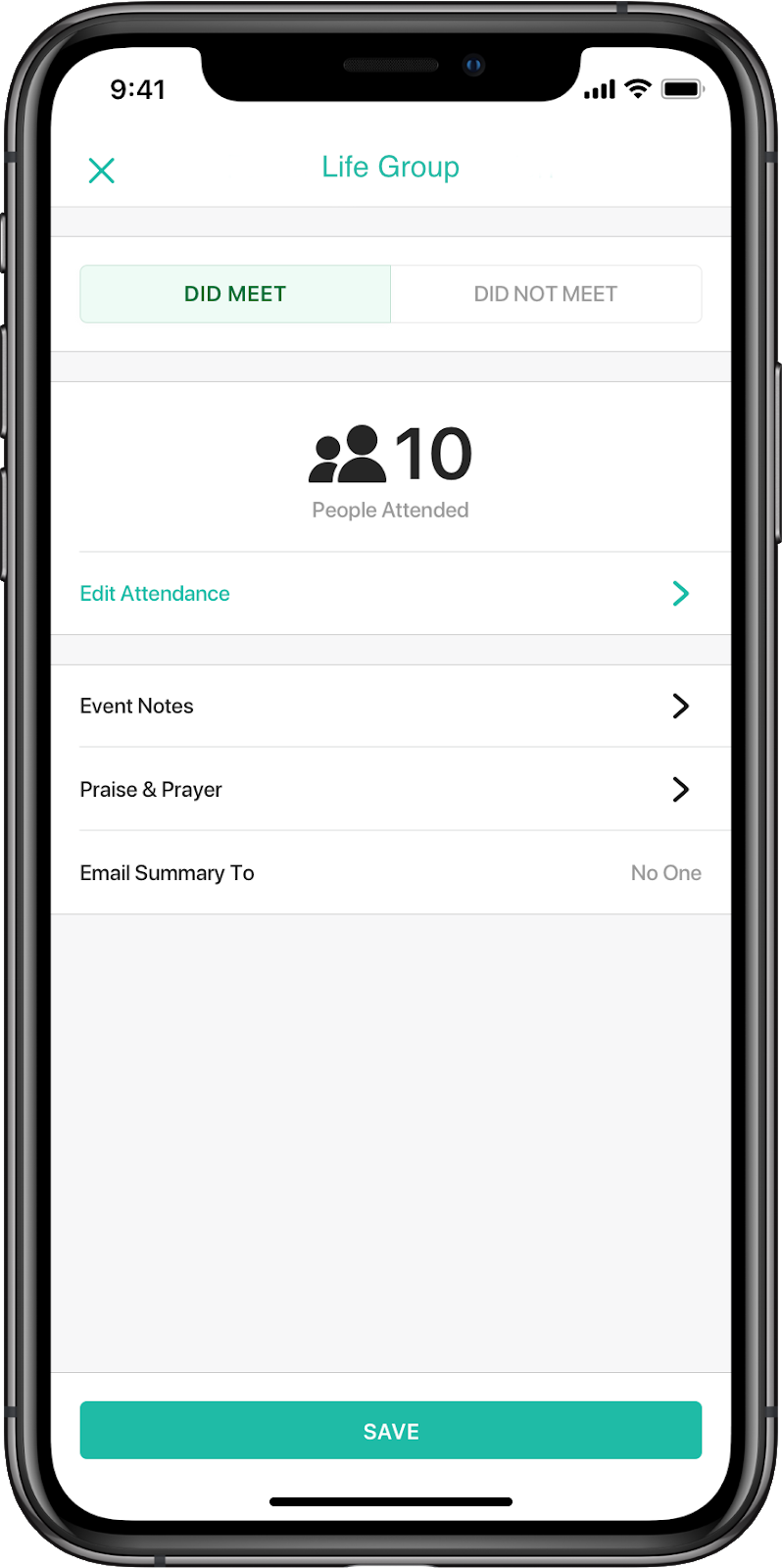
6. Cuando hayas terminado, pulsa Save y volverás a la página de la lista de eventos.